🏢 B2B Target Audience vs. Buyer Persona for Buying Teams (Role Map)
🏢 B2B Target Audience vs. Buyer Persona for Buying Teams (Role Map)
In B2B, one person does not buy alone.
A team buys.
One person uses it.
One person approves it.
One person worries about money.
One person worries about security.
If we write one “generic” page, we lose someone in that chain.
And when one role feels unsafe, the deal slows down.
That slow-down shows up in consumer behavior:
more repeat pricing visits
more “can you send this?” emails
more “we need to check internally” delays
longer time-to-yes
So we need a clear split:
Target audience = the team (the group we aim at)
Buyer persona = the role (the one person inside the team)
This is how we keep clarity inside The Buyer Clarity System™.
In B2B, the target audience is often a whole buying team. We build micro buyer persona profiles for User, Manager, Finance, and IT. Then we add role-based proof and page sections so each role can say “yes” fast.
🧠 What’s the difference in B2B (simple)
🎯 Target audience (B2B)
Your target audience is the type of company or group you aim at.
Examples:
“small agencies with 10–50 people”
“local clinics with 3–10 staff”
“SaaS teams that need onboarding help”
Target audience answers: Who are we selling to?
👤 Buyer persona (B2B)
A buyer persona is one role inside that company.
Examples:
the daily user
the manager
finance
IT/security
Buyer persona answers: What does this person need to feel safe enough to say yes?
In B2B, you don’t have one buyer persona.
You often have a set.
💡 Why buying teams change everything
In B2C, one brain decides.
In B2B, the decision must pass through multiple brains.
That means:
more objections
more proof needed
more “internal sharing”
more steps before purchase
If we ignore that, we get stuck in “maybe later.”
So we plan for it.
We build a simple role map.
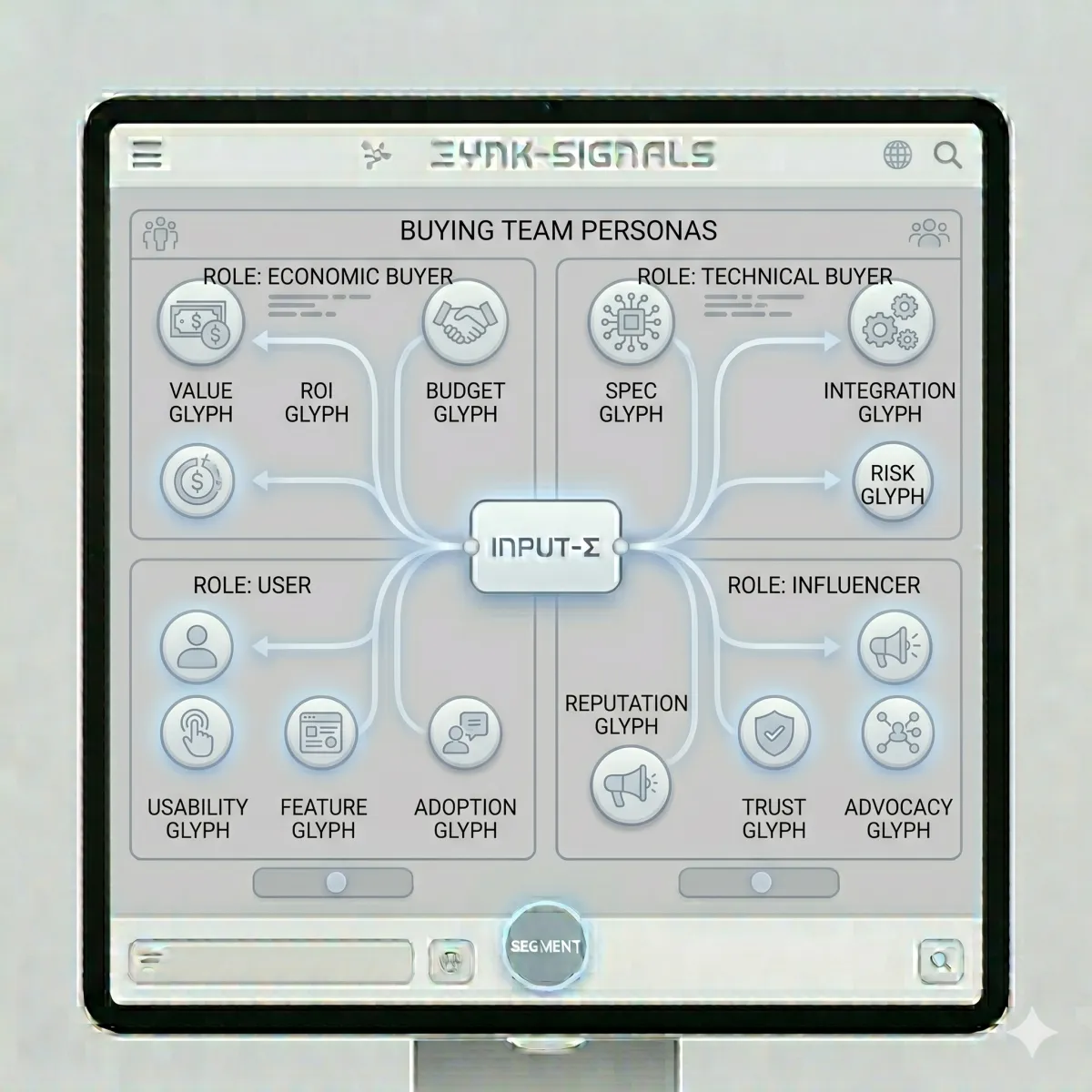
🗺️ The Role Map (the buying team grid)
Here is the buying team in plain words:
👤 User: “Will this make my day easier?”
👔 Manager: “Will this help the team hit goals?”
💳 Finance: “Is this worth the money and risk?”
🛡️ IT/Security: “Is this safe and easy to support?”
Same product.
Different fears.
And fears control behavior.
🔍 How to spot buying-team behavior in the real world
You can see buying teams in your inbox.
Look for these signals:
“Can you send something I can share?” (manager/finance)
“Do you integrate with ___?” (IT)
“Do you have pricing details?” (finance)
“How hard is setup?” (user)
“Will my team use this?” (manager)
That is consumer behavior in words.
Your job is to organize it.
🧩 Step 1: Pick the target audience (the team) first
Before we build any persona, we pick the right company group.
A simple B2B target audience line looks like:
For [company type] with [situation] who want [result] without [pain].
Examples:
“For small agencies who want fewer late invoices without awkward chasing.”
“For clinics who want faster scheduling without phone chaos.”
This is the “lake.”
Now we build the fish.
🧩 Step 2: Build micro buyer persona profiles (one per role)
A micro persona is a small persona.
It is not a 10-page report.
It is 6 simple fields:
pain
dream
fear
proof needed
safe next step
first win
That’s it.
Let’s build each one.
👤 Micro Buyer Persona: The User
🧠 What the user wants
less work
fewer clicks
fewer mistakes
simple steps
fast setup
😬 What the user fears
“This will be hard.”
“This will add work.”
“I don’t have time to learn this.”
✅ Proof the user trusts
a 3-step setup plan
time tags (5 min / 10 min / 15 min)
screenshots of the workflow
short “like-me” quotes from other users
clear support (“reply and we help”)
🎯 User “yes” rules
The user says yes when:
it feels easy
it feels fast
it feels supported
User buyer persona message (swipe):
“We want this to be simple. We don’t want a big learning curve. Show us the first win.”
👔 Micro Buyer Persona: The Manager
🧠 What the manager wants
better results
better team output
more consistency
clear reporting
less chaos
😬 What the manager fears
“My team won’t use it.”
“We will pay and adoption will fail.”
“This will be another tool nobody opens.”
✅ Proof the manager trusts
a rollout plan (week one win)
adoption steps
team dashboard example
clear outcomes (what improves)
a short case story from a similar team
🎯 Manager “yes” rules
The manager says yes when:
adoption feels likely
results feel measurable
time-to-win feels short
Manager buyer persona message (swipe):
“We need our team to actually use this. Show us the rollout and what changes in week one.”
💳 Micro Buyer Persona: Finance
🧠 What finance wants
predictable cost
low risk
clear value
no surprise fees
clean terms
😬 What finance fears
“This is a nice-to-have.”
“We will pay and not use it.”
“We can’t justify this.”
“We’ll get locked in.”
✅ Proof finance trusts
clear pricing page
plan comparison (good/better/best)
“what happens next” so value is clear
support included details
a simple ROI logic story (time saved, fewer errors)
(No fake stats. Just real logic.)
🎯 Finance “yes” rules
Finance says yes when:
value is clear
risk is controlled
cost is predictable
start is safe (pilot/trial if offered)
Finance buyer persona message (swipe):
“We need to see cost, terms, and what we get in week one. No surprises.”
🛡️ Micro Buyer Persona: IT/Security
🧠 What IT wants
safety
simple access control
easy integration
low support load
clear ownership
😬 What IT fears
“This will be a security headache.”
“This won’t integrate.”
“We’ll be blamed if it breaks.”
✅ Proof IT trusts
integration list (real)
access and permissions explanation
data handling overview (plain words)
support path for technical questions
simple setup steps (no chaos)
(Only claim what’s true. No fake certifications.)
🎯 IT “yes” rules
IT says yes when:
it fits the stack
it is safe enough
it won’t create support pain
IT buyer persona message (swipe):
“Show us how this connects, who has access, and what support looks like.”
🧱 Step 3: Put the roles on the page (so the team can say yes)
Now we build a page that serves the team.
You have two options:
✅ Option A: One page with role sections
This is best for many B2B offers.
✅ Option B: One main page + role sub-pages
This is best when:
security is strict
finance needs a full ROI page
multiple products exist
Start with Option A unless you need more.
🧭 The best B2B page layout (role sections)
Here’s a simple layout that converts:
🧲 Hero (for the target audience)
clear headline
clear “For…” line
one CTA (trial/demo/call)
🧾 Proof near CTA (for all roles)
1–3 strong proof lines
one “what happens next” line
🧭 Steps with time tags (User calm)
Step 1 (5 min)
Step 2 (10 min)
Step 3 (15 min)
👔 Manager section (Adoption + results)
week-one plan
what changes
simple KPI examples
💳 Finance section (Cost + risk)
pricing clarity
plan guidance
terms clarity
🛡️ IT section (Integrations + safety)
tools list
access control
support path
❓ FAQ under CTA (Objections)
top questions by role
This structure matches consumer behavior:
people scroll to what they care about.
🧲 Proof by role (what to show and where)
Proof is not one-size-fits-all.
👤 User proof (near steps)
“easy setup” proof
“first win” proof
user quotes
👔 Manager proof (near outcomes)
“team adopted it” proof
“fewer errors” proof
“faster output” proof
💳 Finance proof (near pricing)
predictable cost
plan comparison
value story
🛡️ IT proof (near integrations)
tools list
access details
safety overview
Place proof where fear spikes for that role.
✅ The “Yes Criteria” checklist (what each role must believe)
This is the truth test.
👤 User must believe
“I can use this.”
“This won’t add work.”
“I can win fast.”
👔 Manager must believe
“The team will adopt this.”
“We can measure progress.”
“This helps goals.”
💳 Finance must believe
“This is worth it.”
“The cost is clear.”
“Risk is controlled.”
🛡️ IT must believe
“This is safe enough.”
“This fits our tools.”
“Support is clear.”
If one role can’t believe it, the deal stalls.
🧰 “Proof Pack” (a simple tool for buying teams)
Buying teams love something they can forward.
A Proof Pack is a small bundle:
1-page overview
role map (user/manager/finance/IT)
pricing link
setup steps
security/integration summary
top FAQs
week-one win plan
This reduces “internal friction.”
It speeds up decisions.
📈 How to measure team-fit using consumer behavior
Buying-team fit shows up in behavior:
fewer repeat “pricing loops”
fewer “can you explain this again?” emails
more direct “next step” replies
shorter velocity (faster yes)
higher close rate
fewer refunds/churn
Track:
CTA clicks
demo bookings
show rate
close rate
velocity (first click → yes)
That tells you if your buyer persona set is working.
🧪 Tiny tests that improve buying-team pages
One change per week.
Here are good tests:
Add role sections vs no role sections
Proof near pricing vs proof lower
“Proof Pack” CTA vs “Book demo” CTA
Add week-one win checklist vs none
Move IT section higher vs lower
Let behavior choose.
🧯 Common mistakes (and quick fixes)
🚫 Mistake: writing only for the user
✅ Fix: add manager + finance + IT sections.
🚫 Mistake: hiding pricing
✅ Fix: add pricing clarity and plan guidance.
🚫 Mistake: burying integrations/security
✅ Fix: add a simple IT section with real facts.
🚫 Mistake: no adoption plan
✅ Fix: add a week-one rollout checklist for managers.
🚫 Mistake: one CTA for everyone at every stage
✅ Fix: use a safe CTA (trial/demo/pilot) and clarify “what happens next.”
🧠 Why this helps us rank for “buyer persona”
This post is strong for SEO and AEO because it:
defines buyer persona clearly (many times)
shows role-based buyer persona use (real B2B need)
gives templates and page structure
answers common questions in a clean FAQ
That helps search engines understand the topic and helps people find the answer fast.
❓ FAQ — B2B Target Audience vs Buyer Persona for Buying Teams
1) What is a B2B target audience?
A B2B target audience is the type of company or team we aim at, like “small agencies” or “local clinics.”
2) What is a B2B buyer persona?
A B2B buyer persona is one role inside the company, like a user, manager, finance, or IT person.
3) Why do B2B buying teams need multiple buyer personas?
Because different roles have different fears and “yes” rules. One generic message won’t calm everyone.
4) What are the main buying-team roles in B2B?
Common roles are User, Manager, Finance, and IT/Security. Some teams also include procurement or legal.
5) How do we build micro buyer personas for each role?
Use 6 fields: pain, dream, fear, proof needed, safe next step, and first win. Keep it short and real.
6) What proof does each B2B buyer persona need?
Users need easy setup proof. Managers need adoption proof. Finance needs pricing/value proof. IT needs integration and safety proof.
7) Should we make separate pages for each role?
Not always. Start with one page with role sections. Add role pages only if your deals require it.
8) Where should role proof go on the page?
Place proof where fear spikes: user proof near steps, manager proof near outcomes, finance proof near pricing, IT proof near integrations.
9) What is a “Proof Pack” for a buying team?
A Proof Pack is a shareable bundle: overview, pricing link, setup steps, security summary, FAQs, and a week-one plan.
10) How do we know our buyer persona set is working?
Consumer behavior improves: more CTA clicks, more booked demos, shorter velocity, higher close rate, fewer stalls and repeats.
11) What is the biggest mistake with B2B buyer personas?
Ignoring approval roles. If finance or IT feels unsafe, the deal stalls even if the user loves it.
12) How does this connect to target audience vs buyer persona?
Target audience picks the company group. Buyer persona helps us speak to each role inside that group so the team can say yes.
📌 Key Takeaways
In B2B, the target audience is often a buying team
Build a micro buyer persona for User, Manager, Finance, and IT
Each role needs different proof and different page sections
Place proof where each role feels risk (CTA, pricing, integrations)
Use a Proof Pack so buyers can share internally
Track consumer behavior: clicks, bookings, close rate, velocity
This is buyer clarity inside The Buyer Clarity System™
🎁 Complimentary Ebook
Want the role grid, micro buyer persona template, and Proof Pack checklist?
Grab our COMPLIMENTARY Buyer Clarity Guide here:
👉 Download your complimentary ebook now
🧭 Final Word
B2B deals don’t fail because your product is bad.
They fail because one role in the buying team feels unsafe.
Pick the right target audience.
Then build the buyer persona set by role.
Then place proof where each role needs it.
That’s how we speed up “yes”—inside The Buyer Clarity System™.
